 Voice Recorder Pro
Record every meeting. Skip every silence. Install nothing.
A voice-activated recorder for Windows 11 that captures your microphone and your computer's sound, so you can record Zoom and Microsoft Teams meetings for minutes.
Windows 11, 64-bit. Version 1.0.3, zip about 49 MB (125 MB once extracted). Free for personal use; commercial use needs a licence.
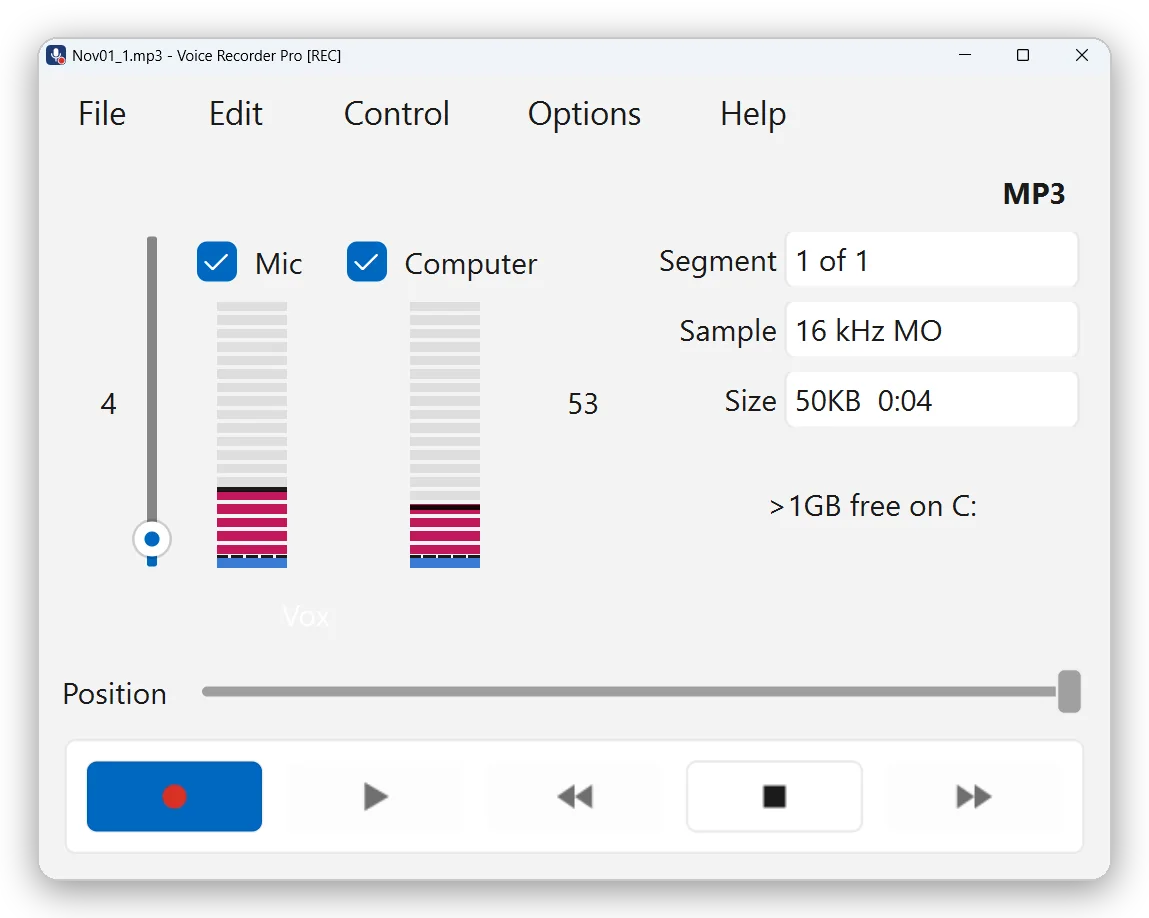
Records both sides of a Zoom or Teams meeting.
The microphone gives your voice; computer audio gives everything played through your speakers or headset, so the other participants in Zoom, Teams, Webex or a phone app. Each source has its own level meter and tick box, and you can switch either on or off at any time, even while recording.
Computer audio is taken from the Windows default output device. If its meter stays empty, check that Zoom or Teams is playing through that device.
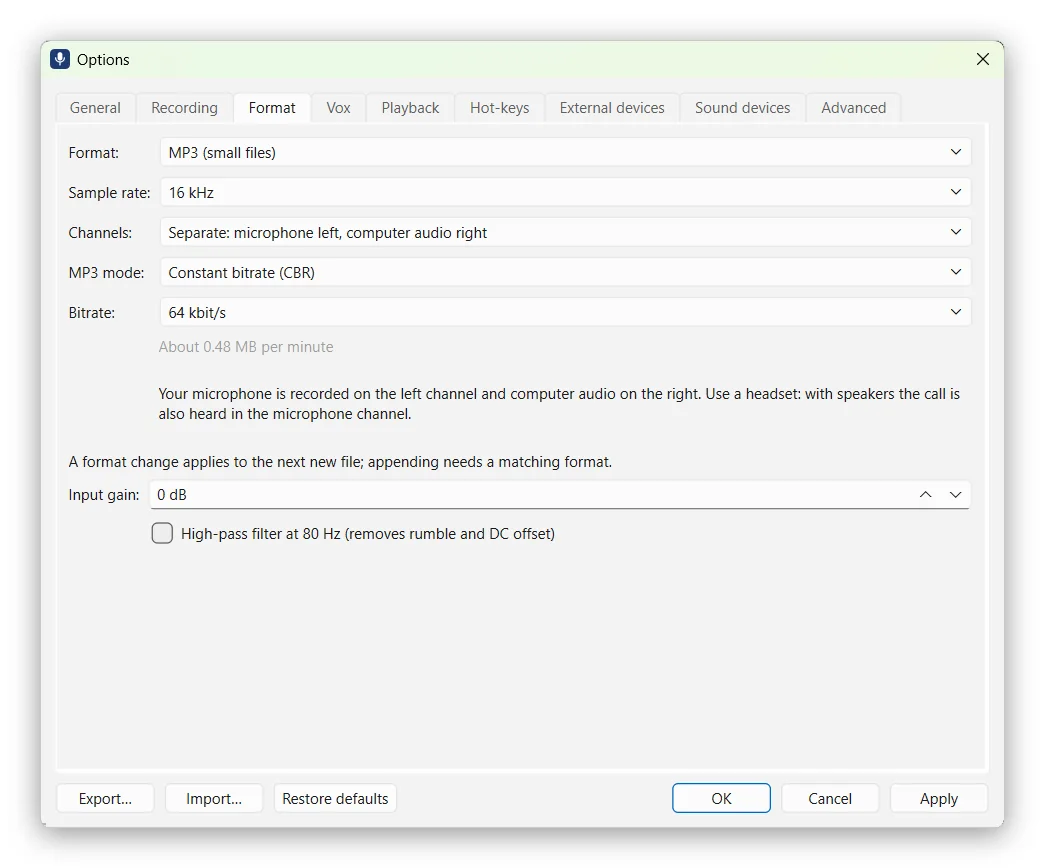
Your voice and theirs, on separate channels.
Choose Options, Format, Channels, Separate. You get one stereo file with your microphone on the left and the computer audio on the right, so speech-to-text software can transcribe each side on its own and it is easier to see who said what.
Use a headset: with speakers, the call is also picked up by your microphone. Mixed recording stays the default.
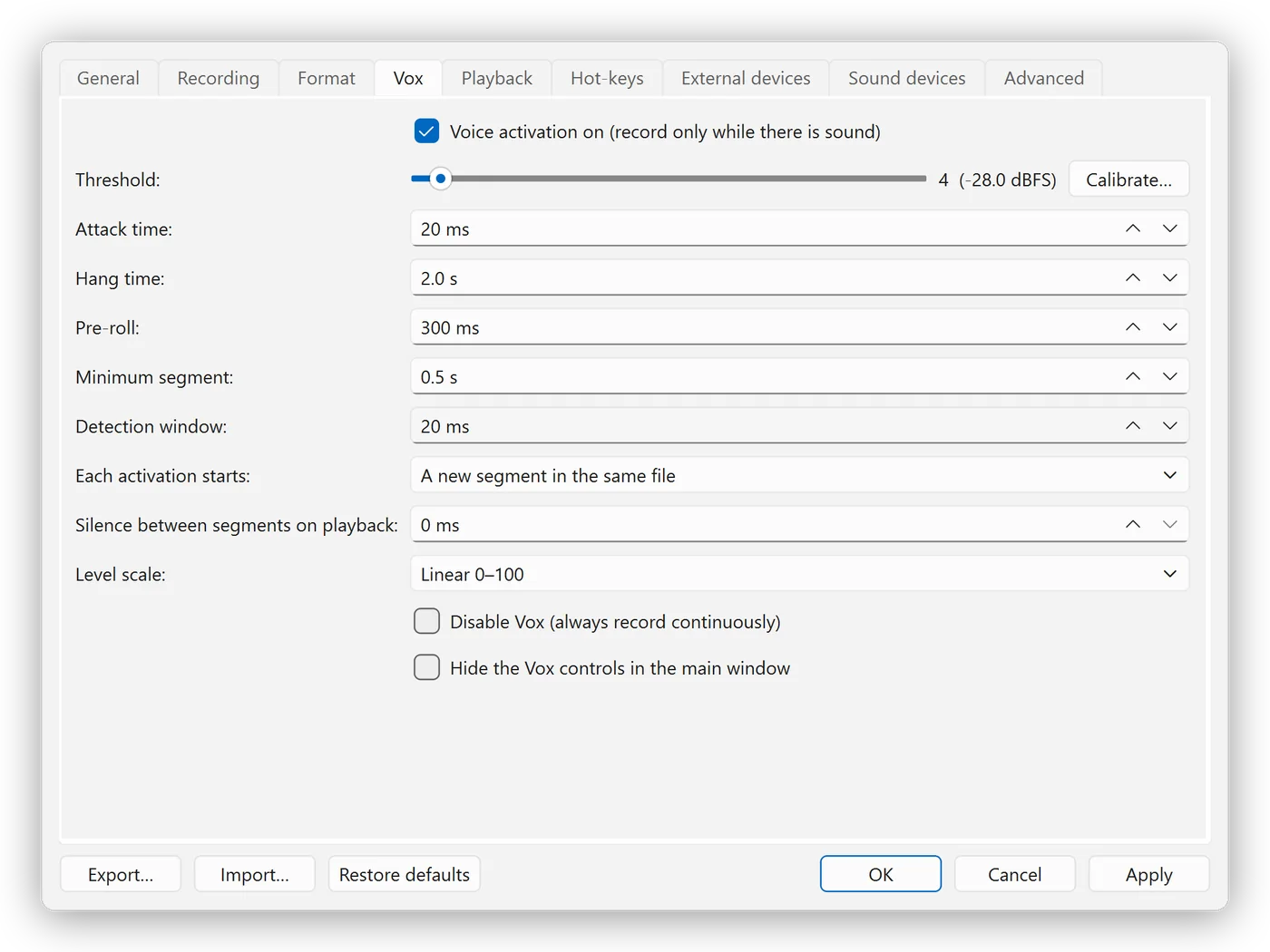
Records only when someone is speaking.
Voice activation starts recording when sound rises above your threshold and pauses when the room goes quiet, after a short hang time so pauses between sentences are kept. Long silences never reach the file:
- you don't scroll through dead air when you play it back;
- transcription software has less audio to process;
- files stay small: MP3 at 16 kHz mono and 32 kbit/s uses about 14 MB per hour.
Calibrate measures your room and suggests a threshold. Each burst of speech is a segment with its own time stamp.
No installation, no admin rights.
Copy the folder anywhere you can write to, such as Documents, a D: drive or a USB stick, and double-click run.bat. It works on a managed work PC where you cannot install software. To remove it, delete the folder.
The package holds only two program files: python.exe and pythonw.exe, the official Python 3.13 interpreter, digitally signed by the Python Software Foundation. Everything else is readable Python source and standard library files, so antivirus false alarms are unlikely.
Also included.
- Hot-keys from any app: Ctrl+Alt+R to record or pause, Ctrl+Alt+S to stop.
- Runs in the system tray; the taskbar button shows a red dot while recording.
- Crash-safe: audio is written to disk every second and an interrupted recording is recovered.
- Timed and scheduled recordings.
- Playback at 50 to 200 % speed with normal pitch.
- Simple editing: cut, split, join and extract a section.
- MP3, WAV and FLAC.
Install.
- Download
VoiceRecorderPro-portable-win64.zip. - Right-click the zip, choose Properties, tick Unblock if shown, and click OK.
- Right-click the zip, choose Extract All, and pick a folder you can write to.
- Open the
VoiceRecorderProfolder and double-clickrun.bat. - Optional: double-click
create-shortcut.batfor Desktop and Start-menu shortcuts.
To update, replace the folder with the new one. Recordings and settings are kept outside it. Full steps, command-line install and troubleshooting are in the README on GitHub.
Details.
| Version | 1.0.3 |
|---|---|
| System | Windows 11, 64-bit |
| Download | Zip, about 49 MB; 125 MB extracted |
| Recordings saved to | Documents\VRP Recordings (you can change it) |
| Internet | None. No account, no cloud, no updates checked online |
| Price | Free for personal use; USD 19.99 one-off for commercial use |
| Contact | winapp@office.4u.hk |
Record meetings only with the participants' knowledge and in line with your organisation's policies and local law.
Then turn the recording into minutes.
Secure Offline Transcriber transcribes the MP3 on your own computer.