Record the meeting. Get the minutes. Keep it on your computer.
Two portable apps for office work. Voice Recorder Pro records both sides of a call. Secure Offline Transcriber turns the recording into a time-stamped transcript and summary. Nothing is uploaded.
Free for personal use. For Windows; the transcriber also runs on Macs with Apple silicon.
- Let's start with the venue for the spring event.
- We agreed to book the hall by Friday.
- Priya will send the guest list to everyone.
Action item. Priya: send the guest list to everyone.
Why they suit the office
Nothing leaves your computer.
No account, no cloud service, no analytics. The transcriber goes online only to download a speech model when you click Download, then switches to Offline Mode.
Nothing to install.
Unzip the folder and run it. No installer and no admin rights, so the apps work on a managed work PC. To remove one, delete its folder.
Unlikely to trip your antivirus.
No packed program file of their own. Both run on the official Python interpreter, digitally signed by the Python Software Foundation, with source code you can read.
 Voice Recorder Pro
Both sides of the call, in one small file.
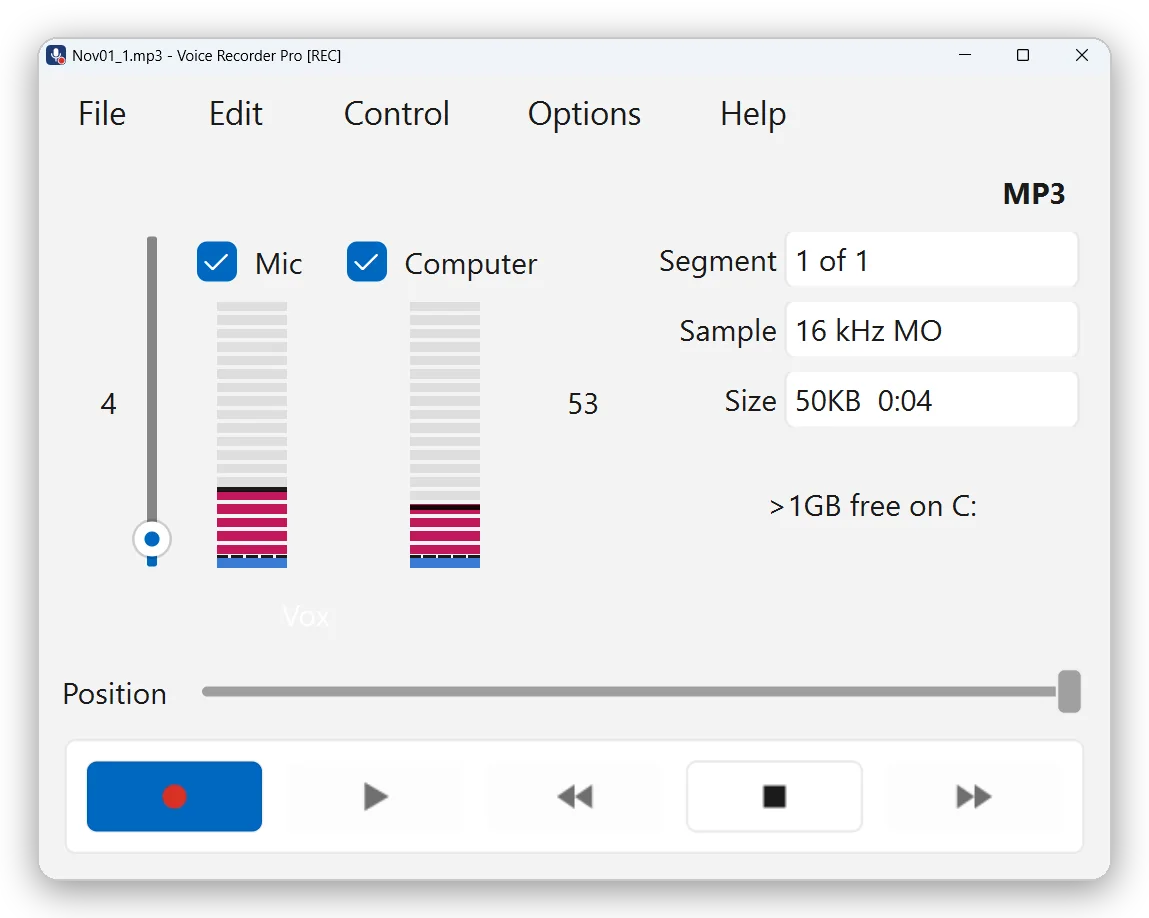
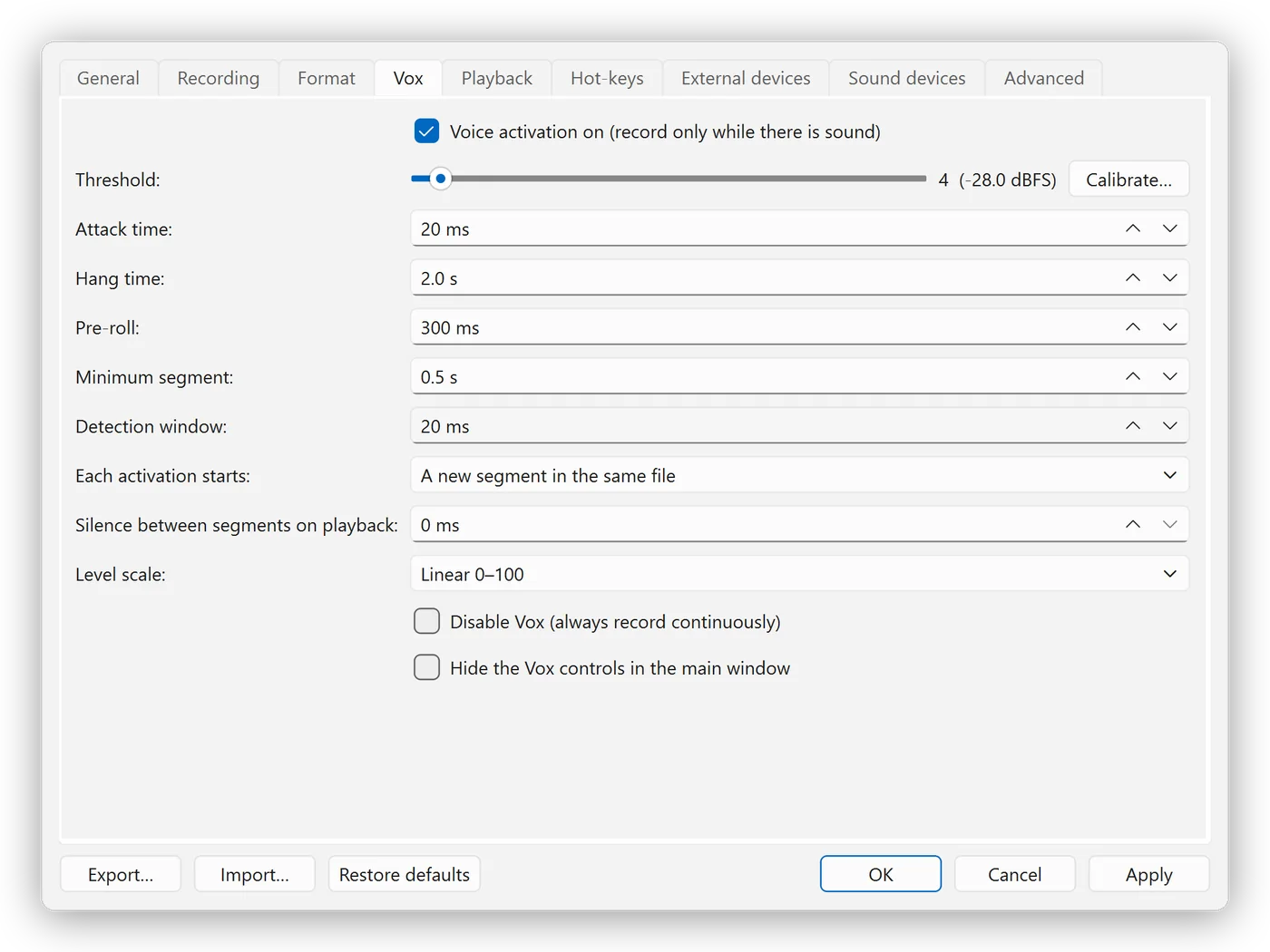
Tick Mic for your voice and Computer for everyone else on Zoom, Teams or Webex, then press Record. Voice activation keeps the parts where someone speaks and skips the silences.
- Mixed or separate. One track, or your voice on the left channel and the other participants on the right.
- Small files, ready for transcription. MP3 at 16 kHz mono, about 14 MB per hour.
- Time-stamped segments. Jump straight to any part of the discussion.
- Crash-safe. Audio is written to disk every second, and an interrupted recording is recovered at the next start.
Windows 11, 64-bit. Version 1.0.3, zip about 49 MB.
 Secure Offline Transcriber
From recording to transcript, without the cloud.
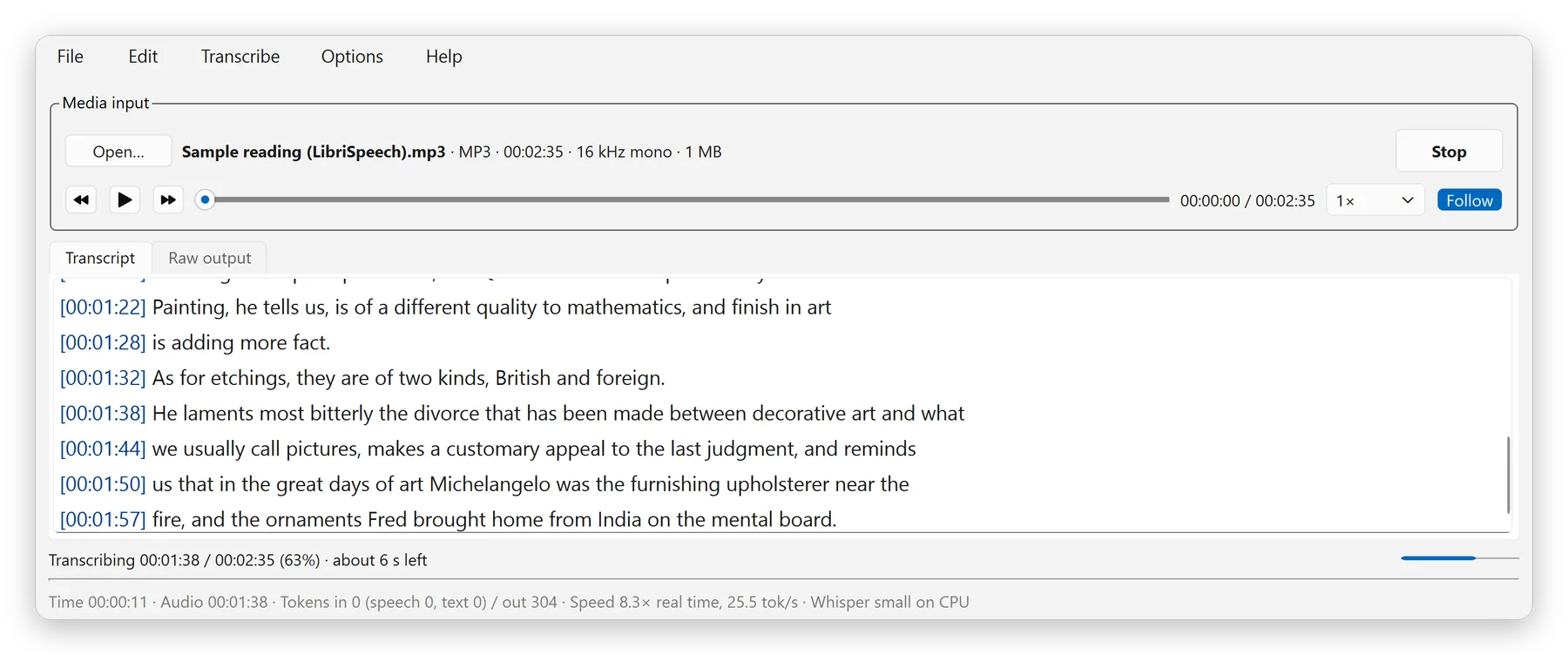
Open a recording, press Transcribe, and the text appears line by line, each with its time. Check it against the audio, fix names once, and export it for your minutes.
- English, French, Cantonese and Mandarin. Chinese in Traditional or Simplified characters.
- Fast proofreading. The sentence being played is highlighted, and you can jump to the lines the model was unsure about.
- Optional AI summary. Key points, decisions and action items, each with its time, written by a small model on your computer.
- Eight export formats. Text with times, plain text, Word, SRT and WebVTT subtitles, Markdown, JSON and CSV.
Version 2.3.1. Speech models are downloaded inside the app. More about the transcriber
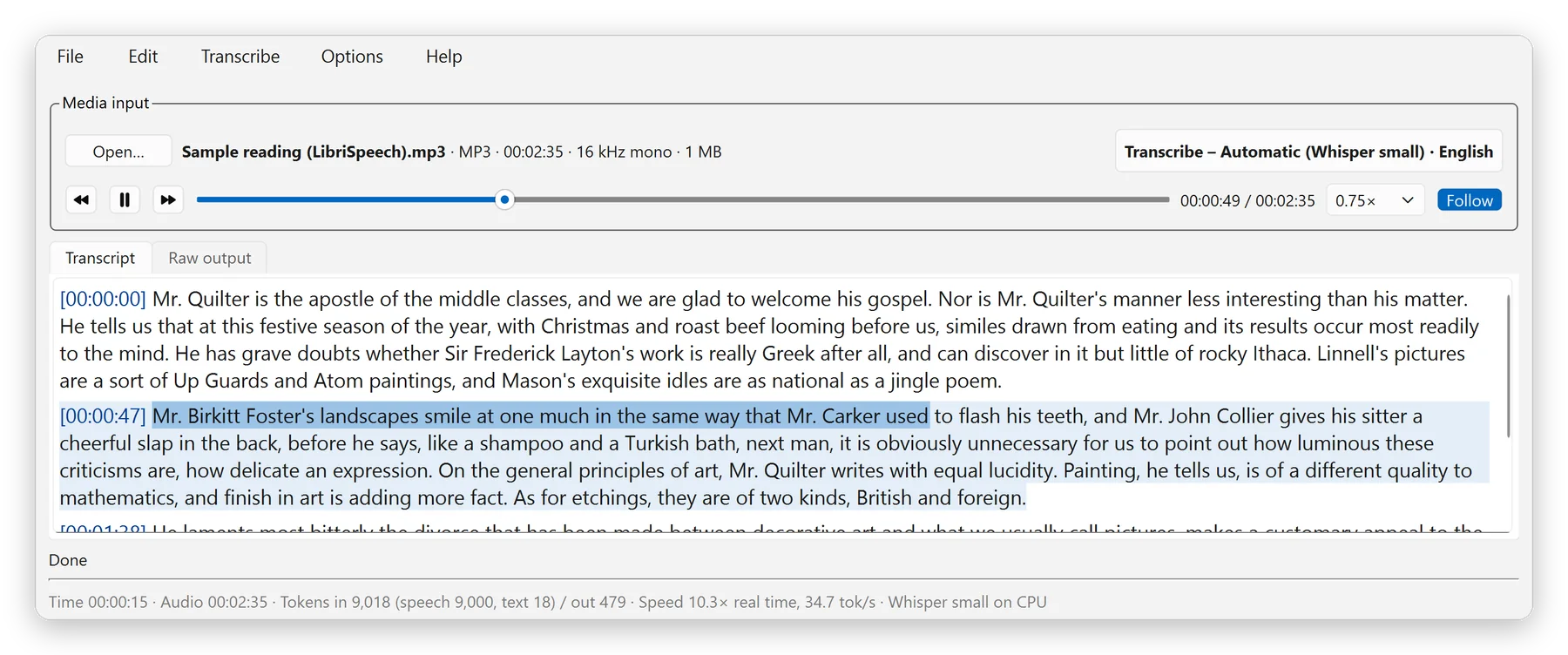
From meeting to minutes.
The two apps work on their own, and better together.
Record.
Start Voice Recorder Pro before the call. Choose separate channels if you want your voice kept apart from the other participants.
Transcribe.
Open the MP3 in Secure Offline Transcriber and press Transcribe. The text appears as it is recognised.
Check and share.
Proofread with follow-along playback, then export to Word for the minutes, with an optional summary of decisions and action items.
On your phone too.
Two free Android apps from the same studio.
VOX Recorder
A voice recorder that records only while someone is speaking. Recordings stay on your phone.
More about VOX RecorderSci-82
A scientific calculator with natural display, statistics, graphs and unit conversion. No ads.
More about Sci-82Coming soonto Google Play and Galaxy Store
Free for personal use.
Pay once if you use the desktop apps for work. The mobile apps are free for everyone.
Personal use
Free
- Every feature, with no time limit
- No ads and no account
- New versions as they are released
Commercial use
USD 19.99 one-off
- For use at work or by an organisation
- Pay once, no subscription
- Provided "as is", without warranty
Using the apps for free and want to help? Buy me a coffee.